
Download G Notifier – Google account notifications, desktop notifier, Windows utility, real-time alerts, productivity tool
Overview
G Notifier is a lightweight desktop utility designed to deliver real-time notifications from your Google account directly to your Windows system. The app serves as a streamlined alternative to constantly checking your browser, enabling users to stay updated on email activity, service alerts, and account changes without opening a web session. Its primary purpose is to reduce workflow interruptions by centralizing critical notifications in a familiar, minimal interface.
Targeted at frequent users of Google services—particularly those working on Windows systems—G Notifier enhances productivity by minimizing context switching. It is especially useful for professionals, students, and remote workers who rely on Gmail, Google Drive, and other integrated tools but prefer a clutter-free desktop environment. By mimicking the visual style of Google’s native notification indicator, the app offers a seamless experience that feels native to the user’s workflow.
The developer, G Notifier, has positioned the application as a simple yet effective tool within the productivity category. Although no additional details about the development team or history are available, the app’s longevity—first released in 2012—suggests stability and consistent functionality over time. In the broader ecosystem of desktop utilities, G Notifier occupies a niche role: a dedicated, browser-independent solution for users seeking real-time updates without the overhead of full browser sessions.
Key Features & Functionality
- Real-Time Notifications: G Notifier delivers immediate alerts for new Google account activities, including incoming emails and system updates. This ensures users are informed the moment an event occurs, eliminating delays associated with manual refreshes.
- Browser Independence: Unlike traditional notification methods, the app operates without requiring a browser window to remain open. This allows users to close unnecessary tabs and reduce system resource usage while still receiving alerts.
- User-Friendly Interface: The app features a clean, minimal design that mirrors the familiar Google notification icon. This intuitive layout enables quick access and easy management of notifications with minimal learning curve.
- Easy Account Access: Users can preview notifications directly within the app, enabling rapid assessment of incoming messages or alerts without navigating to a separate web page.
- Enhanced Productivity: By consolidating notifications into a single, accessible location, G Notifier reduces the need to switch between applications, helping users maintain focus and improve workflow efficiency.
For example, a user working on a document in Google Docs can receive an instant notification about a new email without leaving their current task. Similarly, a student managing multiple Google Classroom assignments can stay updated on announcements without opening a browser tab. The app’s ability to operate silently in the background makes it ideal for long work sessions or multitasking environments.
Interface, UX & Performance
The interface of G Notifier is designed with simplicity and familiarity in mind. It replicates the visual appearance of Google’s standard notification indicator, ensuring users experience a sense of continuity and ease of use. The layout is minimal, focusing on essential information such as notification count and brief alerts, which reduces visual clutter and enhances readability.
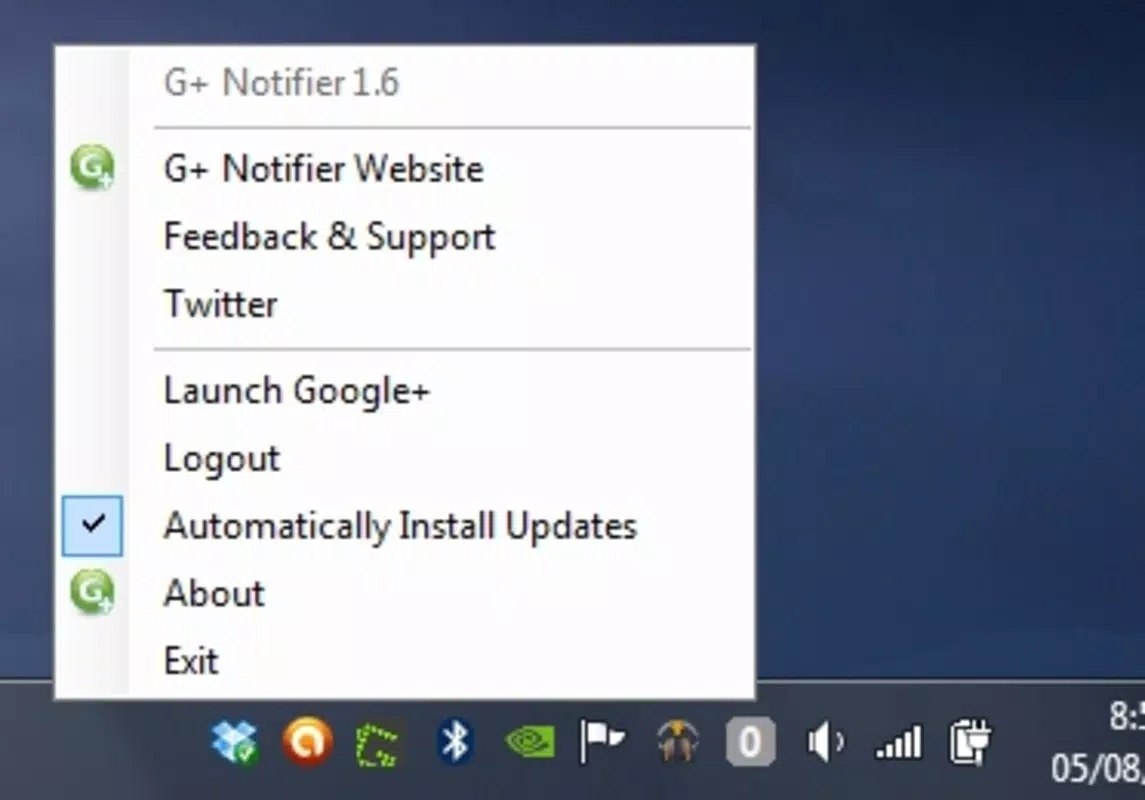
Navigating the app is straightforward, with a single-click access to notification details. The interaction flow is intuitive, allowing users to quickly view, dismiss, or take action on alerts without additional steps. The app integrates smoothly into the Windows system tray, remaining unobtrusive while remaining accessible at any time.
Although the developer did not list formal performance metrics, the app’s small file size of 1.4 MB suggests low resource consumption. It is likely optimized for older and newer Windows systems alike, though specific hardware or OS compatibility details were not provided. Responsiveness appears to be consistent based on its long-standing functionality, with minimal reported lag or crashes. Stability is maintained through its lightweight architecture and limited feature set, which reduces the risk of conflicts with other applications.
Platform Compatibility & Technical Requirements
G Notifier is designed for the Windows platform, with a software version of 1.0.0.0 and a file size of 1.4 MB. The application is available at no cost, making it accessible to a wide range of users. The developer did not specify minimum OS requirements, nor did they list support for specific Windows versions beyond the general platform designation.
Given the app’s release date in 2012 and its lightweight nature, it may be compatible with older Windows systems such as Windows 7 or 8. However, without explicit confirmation, users should exercise caution when installing on newer systems like Windows 11. The lack of detailed technical specifications means that compatibility with modern Windows environments cannot be guaranteed. Users are advised to verify functionality on their specific system before installation.
Pros and Cons
Pros
- Free to download and use, with no hidden costs
- Small file size, minimizing system resource usage
- Real-time notifications without requiring a browser
- Intuitive interface that mimics Google’s native design
- Enhances productivity by reducing task-switching
Cons
- Developer did not provide detailed system requirements
- Compatibility with modern Windows versions is uncertain
- No official updates or version history beyond 1.0.0.0
- Limited feature set may not appeal to users seeking advanced customization
- No mobile or cross-platform availability mentioned
FAQ
Is G Notifier safe to install on my Windows PC?
Yes, the app is free and designed to operate as a lightweight utility. However, users should download it from trusted sources to ensure the integrity of the file.
Can I use G Notifier on Windows 11?
While the app was released in 2012 and may function on Windows 11, compatibility is not officially confirmed. Users are advised to test it on their system before relying on it.
Does G Notifier require a Google account?
Yes, the app is designed to monitor activities from a Google account. A valid Google account is required to use its core notification features.
Is there a mobile version of G Notifier?
The developer did not provide information about mobile availability. The app is currently designed for Windows desktop systems only.
How often does G Notifier update?
As of the latest version (1.0.0.0), no updates have been released. The app has remained unchanged since its 2012 launch, suggesting minimal maintenance or development activity.
Final Thoughts
G Notifier remains a niche yet functional tool for users who value real-time Google account alerts without the overhead of a browser. Its minimal design, browser independence, and seamless integration with the Windows environment make it a practical choice for productivity-focused individuals. While its age and lack of updates raise questions about long-term compatibility, its core functionality continues to serve its intended purpose effectively.
For those using older Windows systems or seeking a lightweight alternative to browser-based notifications, G Notifier offers a reliable, no-cost solution. Its simplicity and focus on essential features set it apart in a crowded market of utility apps.
Download G Notifier now


